 From Zonra · Focus
How Stroop Test works
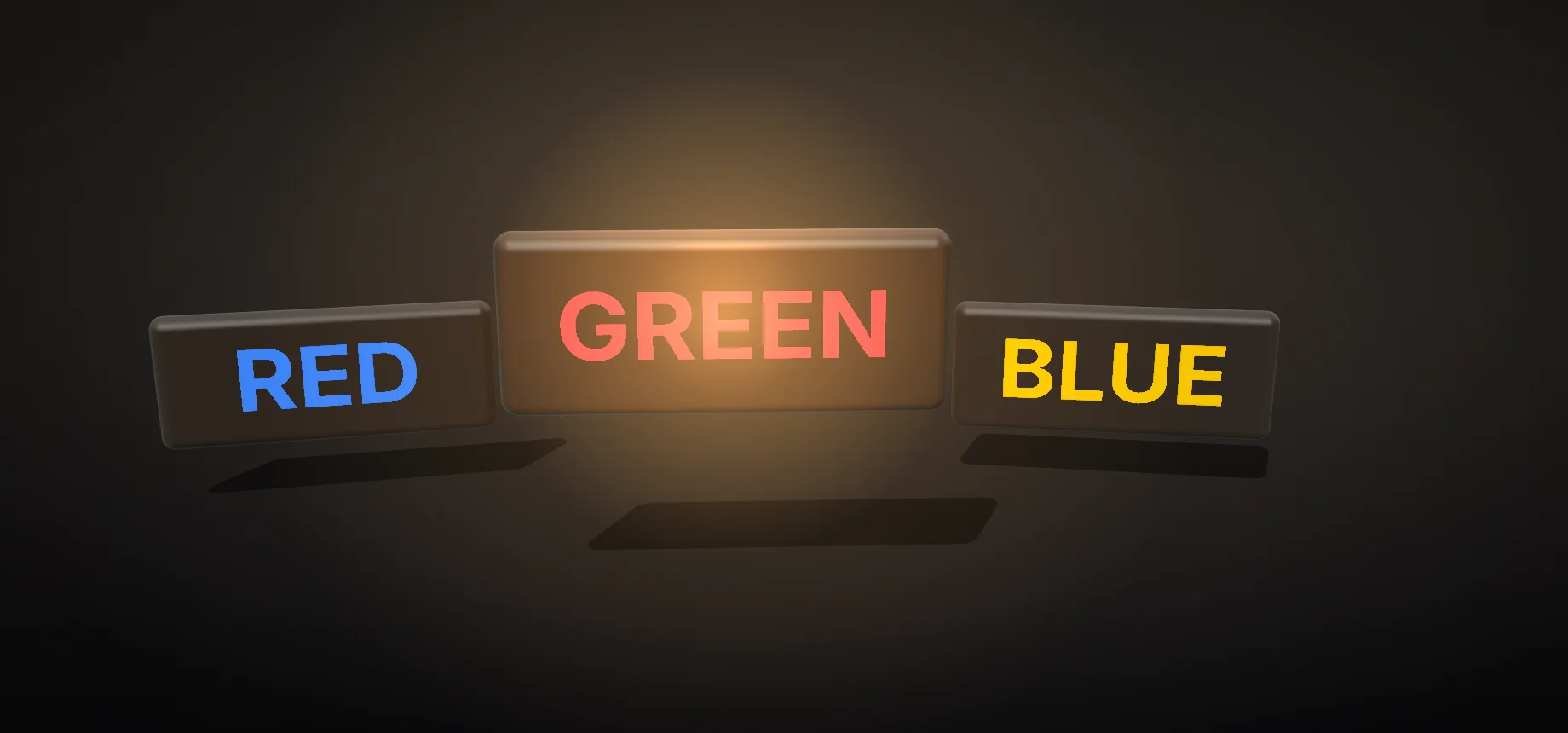
A colour word appears, printed in an ink colour. Tap the colour of the ink and ignore what the word says. When the word says RED in blue ink, the answer is blue.
You have 60 seconds. Most words clash with their ink, and a wrong answer costs a short pause. Your score is how many you got right. On a keyboard, use R, B, G and Y or the keys 1 to 4.
What is a good score?
Your score is correct answers in 60 seconds. Published Stroop norms come from card and spoken versions with different timing, so they do not compare with this format. Compare runs with yourself and your friends, ideally on the same device.
Three tips
- Look at the colour as a whole, slightly blurred, rather than reading the letters.
- Keep your eyes on the word and your thumbs over the buttons, so you do not look away to find them.
- Slow down after a mistake. The pause costs more than a careful answer.
Questions
What is the Stroop effect?
Reading a word is so automatic that it gets in the way when you try to name the colour it is printed in. That clash is the Stroop effect, first described by J. R. Stroop in 1935.
Why is it harder when the word and ink differ?
Your brain reads the word before you can stop it, and you have to set that answer aside to name the ink.
Can I play if I am colour blind?
The test uses red, blue, green and yellow. Some people with red green colour blindness will find it unfair, and that is a limit of the test, not of the player.
Using this in class? See Mindima Play for teachers.